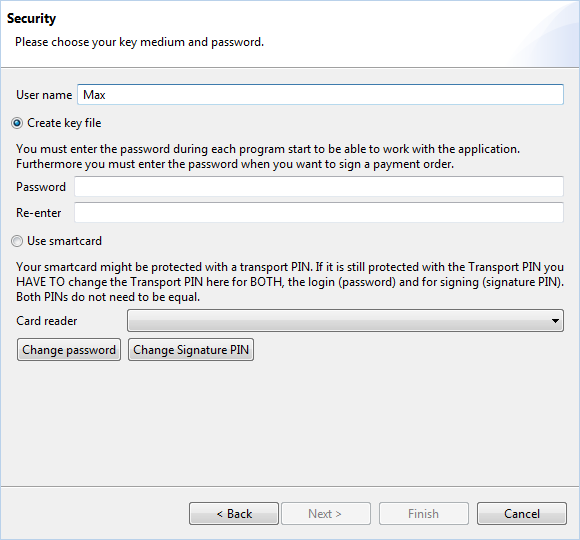
Figure: Setup wizard - Selection of key medium
Click on Next to get to the next step of the setup wizard.
In the field User name, you can enter the name, which you want to use to log in to BL Banking. The field is filled with the name of the user, who is currently logged on to the operating system (e.g. Windows). If you want to use a different name, you can enter it here or change it later in the preferences under General.
BL Banking provides you with two options to store keys for secure communication with your bank. You can either create new keys that are stored as a file or you can use keys stored on a smartcard.
Please select the Create new keys radio button to store keys as a file and then enter your user-specific password into the fields Password and Re-enter. This protects the keys file and must also be entered whenever you transmit and sign orders.
If a card reader is connected to your computer, the radio button Use smartcard is activated. In the section General functions - Use a smartcard you can find instructions for the use of smartcards.
If smartcards are used, the signature classes A004 and A006 are supported.
Figure: Setup wizard - Selection of key medium
Click on Next to get to the next step of the setup wizard.