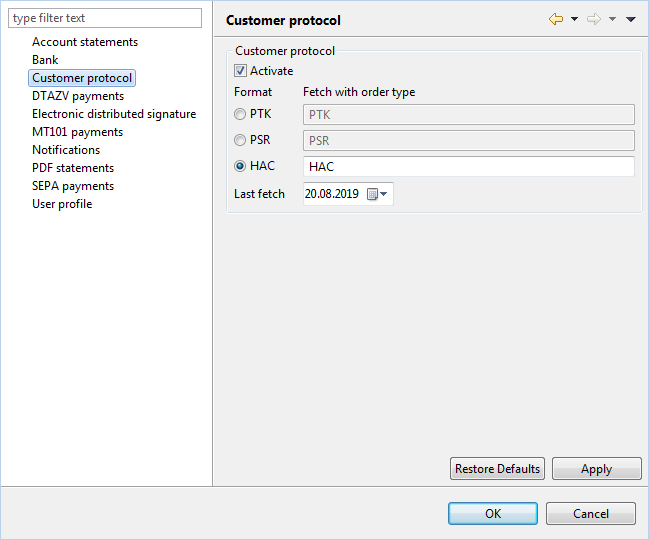
Customer protocol

The EBICS customer protocol documents send, fetch and signature actions as well as their results. Depending on the format, order content such as the accompanying ticket may also be included.

Activate

By default, the customer protocol is retrieved automatically (intrinsically). You can disable this automatic retrieval of customer protocols by unchecking the box. Regardless of this setting, manual retrieval of protocol files is always possible. The function Retrieve file from bank is available for this purpose in the Retrieved Files view, in the toolbar, in the Actions menu, and in the context menu of a bank.

The following settings can only be edited when the checkbox is enabled.

Format

The format for customer protocols is also referred to by banks as a "technical order type". Select the format currently provided by the bank. Possible formats are:

The format set here is also the pre-set for the function Display protocol in the bank's context menu. This allows you to view all protocol entries that have been retrieved so far. If the bank switches the format, e.g., from the older PTK to HAC, you must select the new format here, but temporarily reset it in order to view the entries in the older format.

Last fetch

The date of retrieval is displayed here each time customer protocols are retrieved automatically. By setting a past date, you can retrieve protocols again. A manually reset date remains until the next automatic retrieval and is only updated then.