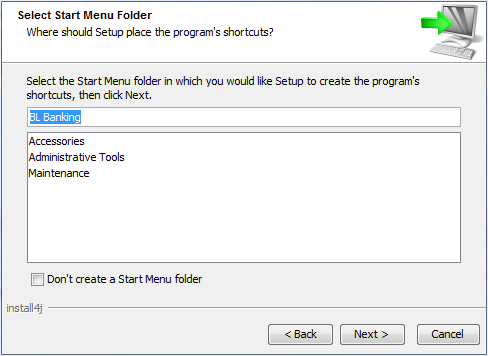
Indicate the folder for the application links that will be used used to start BL Banking. An entry in the start menu is optional. Set the checkbox accordingly.
You can create, remove or edit the shortcuts in the Start menu later. Windows, for example, saves the link in the BL Banking directory of your personal user folder under …\AppData\Roaming\Microsoft\Windows\Start Menu\Programs. The EXE file in the installation directory of BL Banking must be specified as the target in the properties of the link.
When the program is updated later, the existing directory and the shortcuts it contains remain saved in the Start menu. If the program is updated in the same destination directory, the existing shortcuts can continue to be used.
Click on Next to get to the next step of the setup wizard.
Figure: Setup wizard - Selecting the start menu folder